
Move Games From HDD to SSD
Tutorial
SSD upgrade = Gaming BLISS! Don't waste time waiting for games to load. This guides you through moving games from HDD to SSD with Steam Mover for a smoother, faster gaming experience.
POSTS
SSD upgrade = Gaming BLISS! Don't waste time waiting for games to load. This guides you through moving games from HDD to SSD with Steam Mover for a smoother, faster gaming experience.

Why do you still use your old outdated Hard Disk to play all your games, i know its cheaper than an SSD but trust me the experience is a very different.
HDD's are old and slow and can easily be damaged, so just move it over to your SSD.
I know you might be thinking you can just copy and paste it right? But did you realize that copying and pasting it is slow and it might give errors at times? This method won't give any error. It's using a tool known as Steam Mover. Download The app then continue reading.
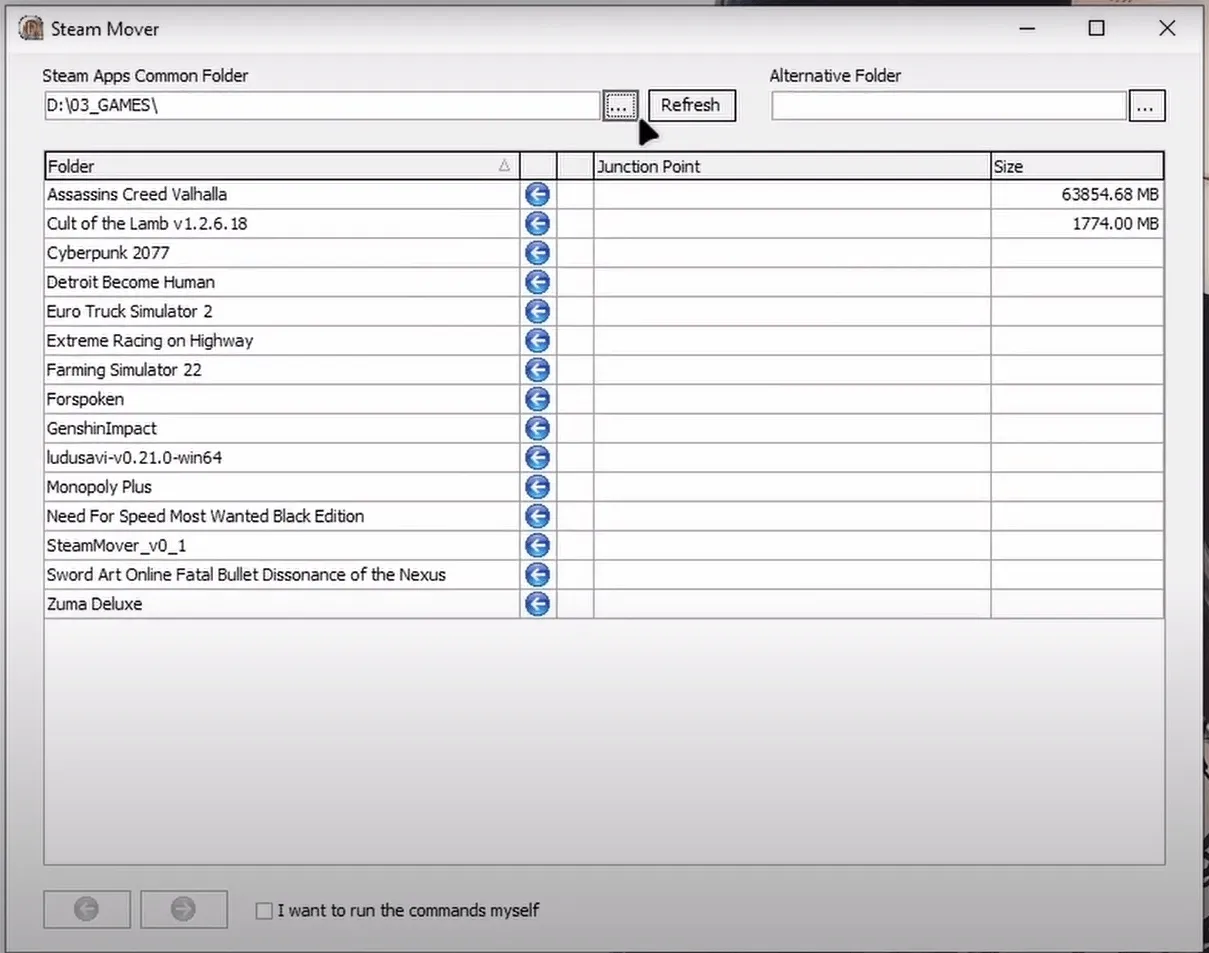
On the "Steam App Common Folder" Select the folder that contains all your games, that should be on your HDD.
Then for the "Alternative Folder" Select the folder you want to move your games to. This should be on your SSD.
Just Select the game you want to move then click on the Forward Button at the bottom.

Now you wait for it to complete then you enjoy your game as you would.

Turn your Android device into a powerful Linux workstation. Follow this simple Termux tutorial to learn how to install the app, configure it properly, and start using essential terminal commands in minutes.
Author
Randy Dwomoh
Duration
3 mins

Do you live for mischief? Well then join the club. Learn how to use the Bluetooth Low Energy (BLE) functionality of Android smartphones to create Phantom Bluetooth Advertisements. Let’s create a little mayhem….
Author
Randy Dwomoh
Duration
4 mins

A quick tutorial on turning an Android phone into a portable coding terminal using Termux, Git, and the GitHub CLI to securely manage code and review pull requests on the go.
Author
Llewellyn Paintsil
Duration
3 mins
