OBS is very annoying, the default settings are trash when it comes to the quality of your video recordings.
Because of that, you need to go through the stress of going into the settings and doing it yourself.
In this post, you will get to know all the best settings for recording your gameplay footage.
If you don't know what OBS is why not read about it?
What is OBS?
OBS is an open-source software for video recording and live streaming. Launched in 2012, OBS has since evolved into a versatile and powerful tool used by millions worldwide. Its primary purpose is to capture, mix, and stream video content from various sources, making it an essential component for content creators in the digital age.
Recording Settings:
Step 1: In your OBS software, go to your "settings"
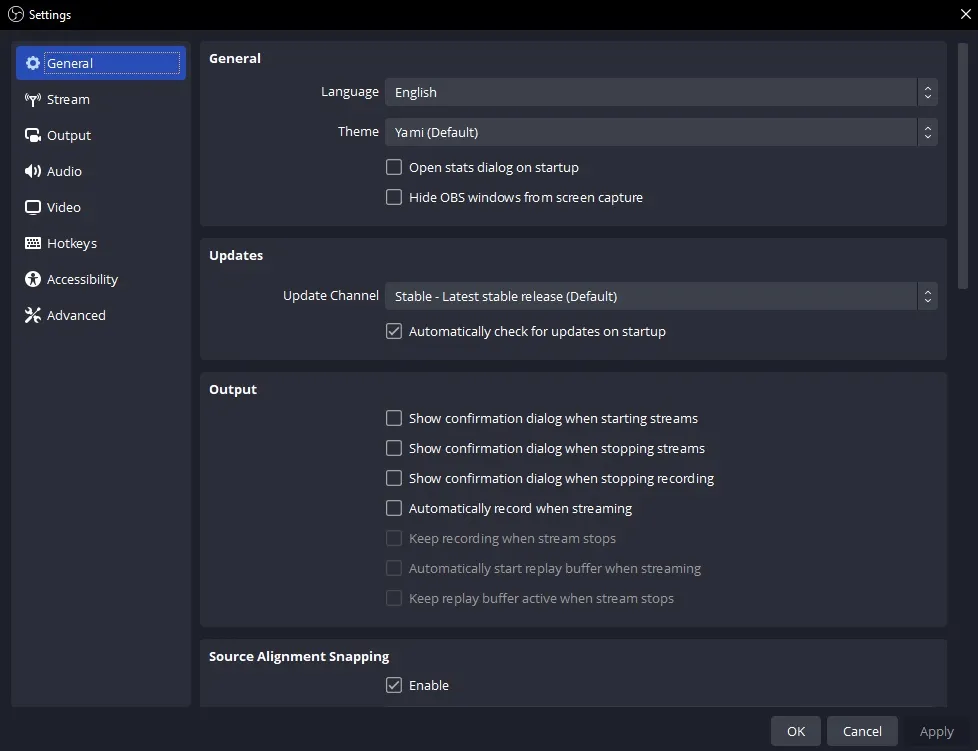
Step 2: Go down to the "Output" tab then change the "Output Mode" from "Simple" to "Advanced"
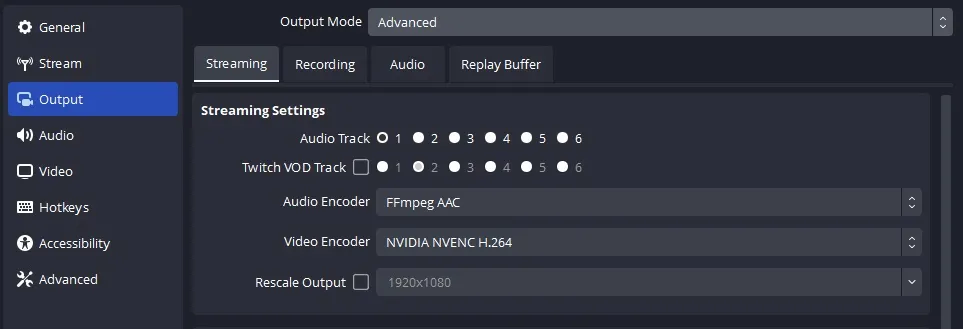
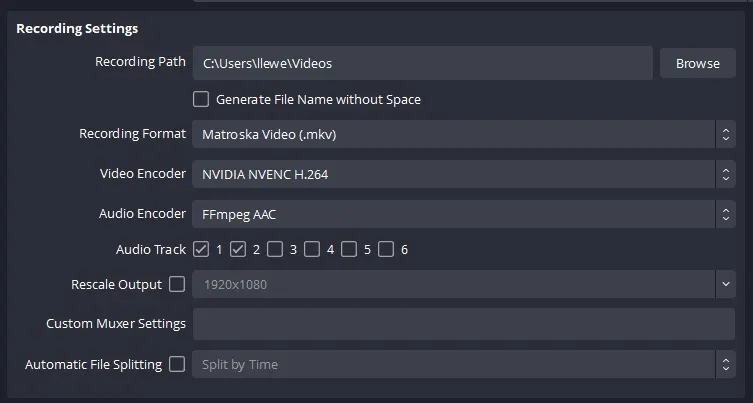
Step 3: From there, move to the "recording" tab since this is a recording tutorial.
Pick your "Recording Format", you can either pick "mp4" or "mkv" format.
For the "Video Encoder", pick the "NVIDIA NVENC H.264" for Nvidia-based graphics cards. For AMD graphics cards, I think it's "AMD's VCE", I'm not sure, I don't know anyone who's using an AMD-based system.
Step 4: For the "Encoder Settings" change the "Rate Control" to "CQP".
Then you set the "CQ Level" between "16" and "18"
Set the "Tuning" to the highest quality you have and set the rest to the highest quality you can go.
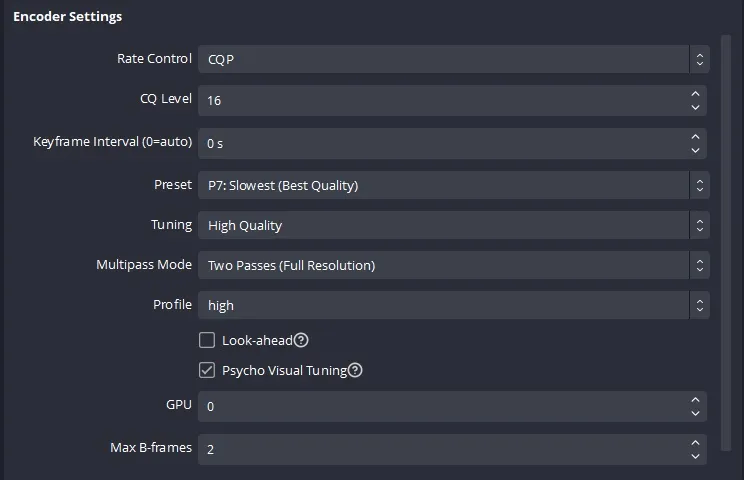
That's it, if you are getting lagging issues with your games, just reduce them a little bit, and keep adjusting them till you get the best settings that work for you.